Bleed vs No Bleed for KDP Puzzle Books: Which to Choose
Bleed vs no-bleed for KDP puzzle books: when interiors need bleed, when no-bleed is safer, and how bleed affects print cost , binding options covered in the spiral guide.
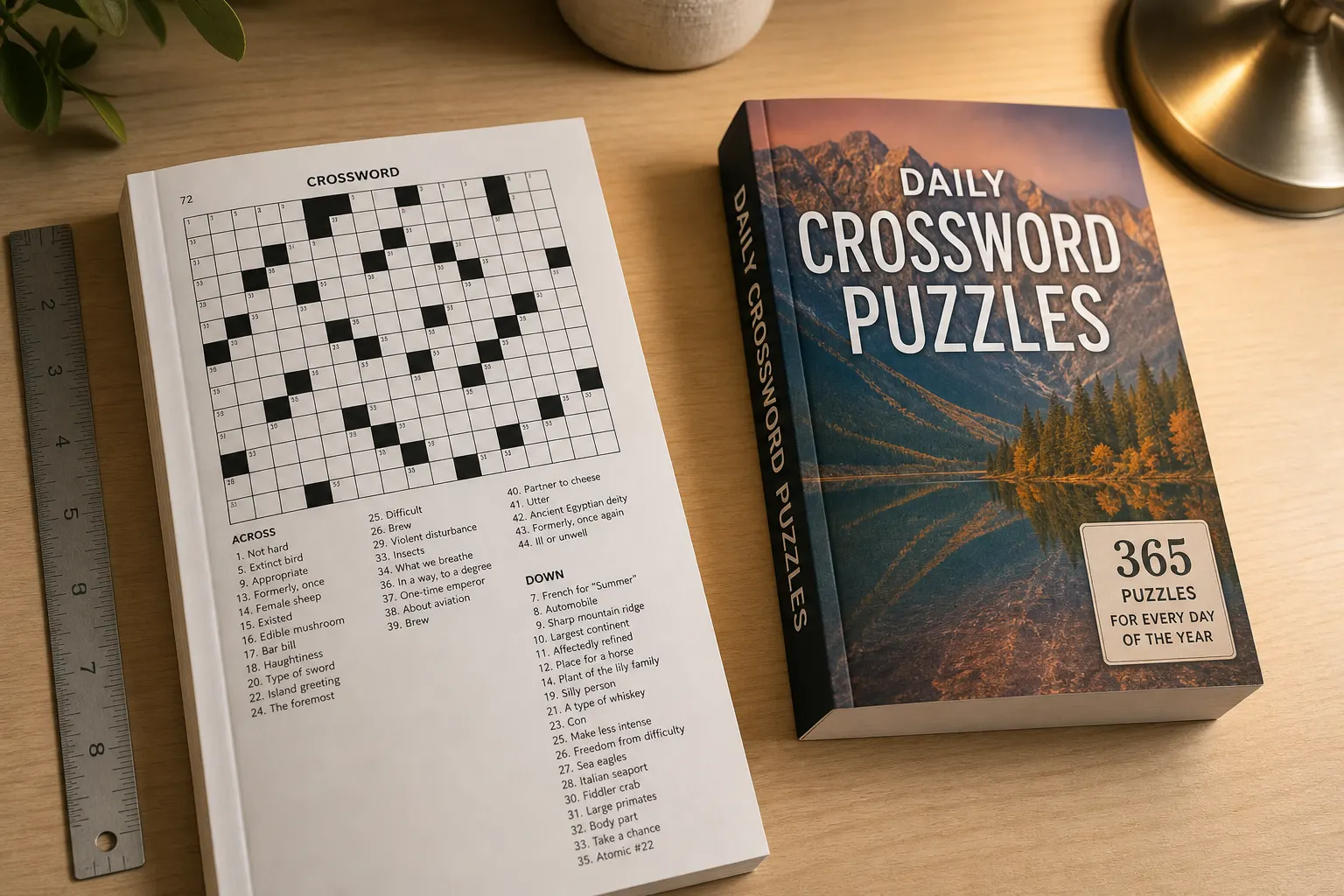
Print specs decide whether a KDP paperback looks finished or amateur. Searchers looking up full bleed vs no bleed, bleed vs no bleed printing, and how to spiral bind a book are usually trying to pick the right KDP upload settings. This guide explains when interiors need bleed, when no-bleed is correct, which binding options Amazon actually offers, and how those choices change trim geometry and royalties.
Most puzzle publishers should default to no-bleed interiors and full-bleed covers. Problems start when the KDP checkbox, the PDF page size, and the art disagree. Match the file you built, do not pick bleed because it “sounds more professional.” Confirm the same choice in your generator export preset, the KDP paperback content options, and the cover wrap brief so the three never drift apart across a series.
See also: spiral-bound alternatives on KDP, and word search interior export.
Bleed vs no bleed printing, in plain language
Bleed is extra image that extends past the trim line so a tiny cutting variation does not leave a white sliver. No-bleed files keep all important content inside a safe margin. Full bleed vs no bleed is not a quality contest. It is a match between your artwork and how the printer trims the sheet.
| Situation | Interior | Cover wrap |
|---|---|---|
| White puzzle grids, no edge art | No bleed | Bleed |
| Color or pattern to the paper edge | Bleed | Bleed |
| Solution pages with highlighted letters | No bleed (keep grids inside the safe area) | Bleed |
| Want a spiral / coil book | Not a KDP paperback option | Print elsewhere |
Most puzzle interiors are no-bleed: white paper, grids centered, word lists inside margins. Covers are almost always built with bleed. Decorative chapter pages, colored backgrounds, and edge-to-edge illustrations need bleed on the interior as well.
When to choose no bleed
- Word search, sudoku, crossword, and maze pages on a white background.
- Solution pages with highlighted grids that must not be cropped.
- Large-print books where letterforms sit well inside the margin.
- Any page where a white edge is expected and there is no edge-to-edge art.
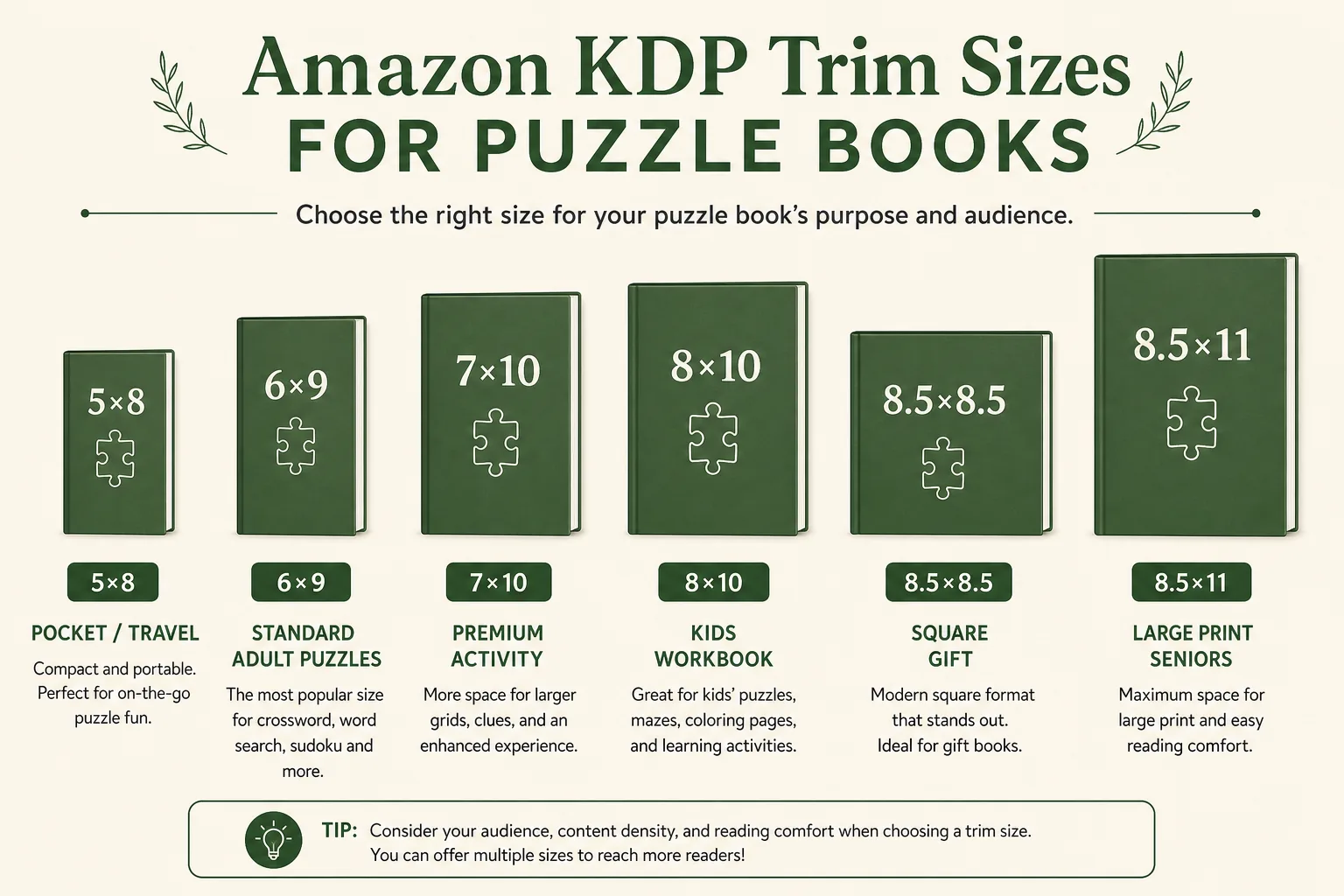
If you mark a no-bleed interior as bleed in KDP, Amazon still expects the larger page size. That mismatch is a common rejection. Match the checkbox to the file you built. For trim and margin context, see KDP interior formatting: trim, margins, and bleed and best KDP trim sizes for puzzle and activity books.
When full bleed is the right call
- Background color or pattern that should reach the paper edge.
- Photo spreads or illustrated activity pages.
- Some kids books where art is the product, not a centered grid.
- Section dividers that intentionally ink the full sheet.
KDP typically wants about 0.125 inches of bleed on the outer edges. Keep text and puzzle letters out of that strip. Bleed is not a place to hide the last column of a word search. Build the live area first, then extend backgrounds past trim, never grow the grid into the bleed zone.
How binding works on KDP (and how to spiral bind a book)
Amazon KDP paperbacks are perfect bound: pages glued at the spine, not spiral bound. If you searched how to spiral bind a book or how to spiral bound a book for Amazon, the honest answer is that KDP does not offer coil, comb, or lay-flat spiral binding. You can design a KDP paperback that lays reasonably open with good gutter margins, or you can print spiral copies through a local shop or a short-run printer that offers coil binding. Those copies are a different SKU and a different fulfillment path.
Hardcover on KDP is case wrap, still not spiral. Do not promise “spiral bound” on a KDP listing unless that is the physical product you actually ship. Classroom teachers who want coil binding for photocopy-style activity packs should treat that as a local print job, then keep the Amazon edition as a glued paperback with honest listing copy.
Gutter margins matter more than people expect on perfect-bound puzzle books. A spiral book can open flat to the stitch line. A KDP paperback cannot. Keep grids away from the inner fold, especially on 8.5×11 workbooks with dense lettering. If a proof looks tight in the gutter, increase inner margin before you add more puzzles.
Why bleed and binding change royalties
Bleed can add page size and sometimes page count if you pad edges or add full-color backgrounds. Color interiors raise print cost. Binding type on KDP is paperback vs hardcover, which also changes the print table. Before you lock list price, run the KDP royalty calculator and printing cost calculator with the real page count and ink type.
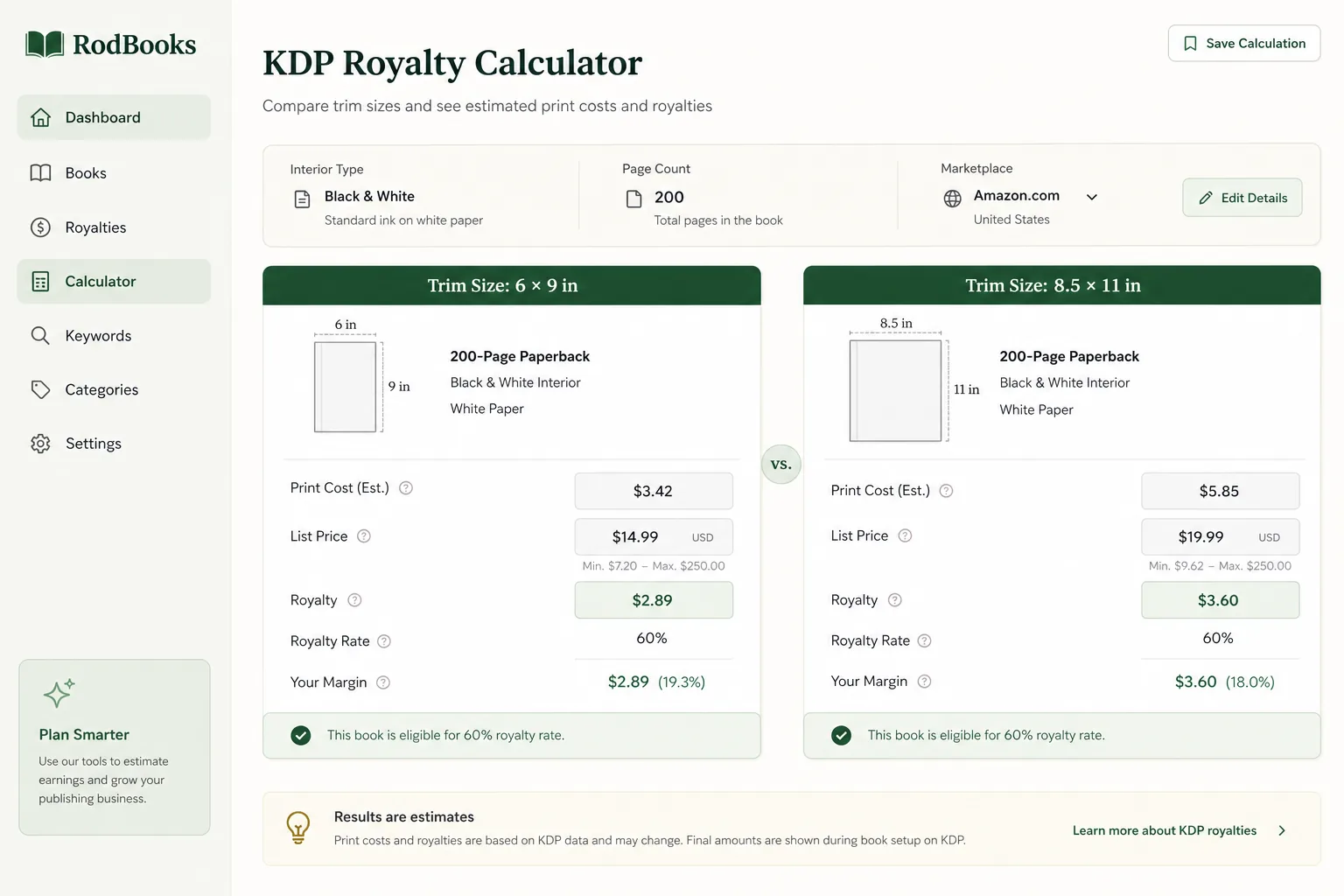
A color bleed interior on a large trim can erase the margin that made the niche look profitable on a black-and-white no-bleed estimate. Re-run royalties whenever you change bleed, paper, or binding. Do not set list price from a draft page count.
Cover files vs interior files
Interiors and covers are separate PDFs. A no-bleed puzzle interior can still sit behind a full-bleed wrap cover. Build cover width from trim, spine, and bleed. Use the KDP cover designer for wrap proportions, and read the KDP cover size calculator guide for the sizing chart.
Workflow: decide bleed, then export once
- Decide whether any interior page needs edge-to-edge art. If none do, lock no-bleed.
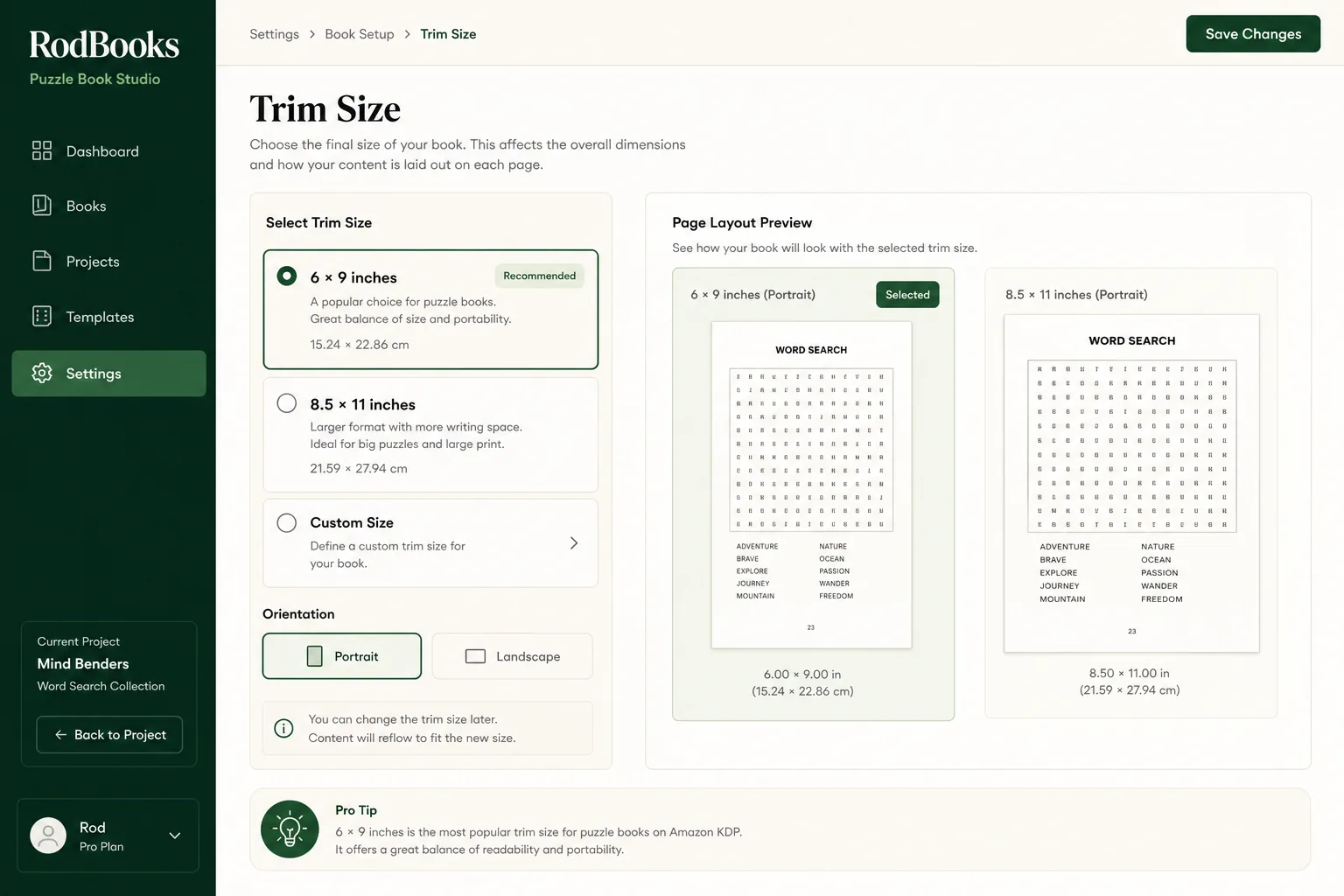
- Set trim and margins in your generator so grids stay inside the safe area (and gutter).
- Export the interior PDF at the page size that matches the KDP bleed checkbox.
- Build the cover wrap with bleed regardless of the interior choice.
- Select the matching bleed option in KDP and walk the previewer for white edges or cropped letters.
- Recalculate print cost and list price after the final page count.
- Write listing copy that matches the physical product (paperback perfect bound, not spiral unless you print spiral elsewhere).
A simple decision checklist
- Does any background or image need to touch the trim? If yes, build bleed. If no, stay no-bleed.
- Are puzzle letters at least a safe margin from every edge, including the gutter?
- Did you select the matching bleed option in KDP so page size matches the PDF?
- Are you selling a glued paperback (KDP) or a coil book (not KDP)? Say so clearly on the listing.
- Did you recalculate print cost after the final page count?
Proofing bleed and binding before you scale a series
Order a physical proof when you change trim, move to color, or add full-bleed chapter pages for the first time. On-screen previewers catch many page-size mismatches, but gutter squeeze and trim variance show up clearly in hand. Check whether solution highlights still clear the outer edge and whether the cover wrap’s spine text sits centered on the glued thickness you actually received.
When a series shares a template, document the bleed choice in the project brief so Volume 3 does not silently switch to bleed because a contractor added a colored footer. Template drift is how catalogs accumulate rejected uploads. Keep interior export presets named by trim and bleed (for example “8.5x11-nobleed-bw”) so the KDP checkbox is chosen from the filename, not from memory.
If you sell both a KDP paperback and a locally printed spiral classroom pack, use different titles or clear subtitle language so shoppers are not surprised. Reviews that say “not spiral” on a perfect-bound listing are predictable when the cover copy overpromised. Binding honesty is part of metadata quality, the same as honest puzzle counts.
Large-print and kids activity books deserve an extra gutter pass. Bigger letters sit closer to danger zones when designers try to maximize puzzles per page. Prefer fewer puzzles with safe margins over a dense sheet that KDP trims into unreadability. Recheck royalties after you add pages to restore margin, print cost is the trade for a book people can actually solve.
Color, paper, and the bleed cost stack
Bleed decisions often arrive bundled with color decisions. A black-and-white no-bleed crossword on white paper is a different cost stack than a full-color bleed activity book on the same trim. Before you add decorative edge art “for polish,” price the color interior. Many puzzle niches do not need color to convert; they need crisp grids and honest thumbnails.
Cream paper changes spine thickness versus white. If you switch paper after the cover is approved, rerun the cover calculator and rebuild the wrap. Binding stays perfect-bound either way on KDP paperbacks, paper choice does not unlock spiral. It only changes feel, opacity, and spine math.
When you standardize a catalog, publish a one-line print spec per series: trim, bleed yes/no, ink, paper, binding. Paste that line into every briefing document. It prevents the expensive mistake of uploading a bleed PDF under a no-bleed setting, or promising classroom coil binding on a glued Amazon paperback. If a proof comes back with white edges on art that should kiss the trim, you chose no-bleed for a bleed design; fix the file and the checkbox together before you order more copies.
Frequently asked questions
Is full bleed vs no bleed a KDP quality setting?
No. It describes whether art extends past the trim. White puzzle pages usually skip bleed. Edge-to-edge art needs it.
Can I spiral bind a KDP book?
Not through Amazon KDP. KDP paperbacks are perfect bound. Spiral or coil binding requires a different printer.
Does bleed vs no bleed printing change my ISBN?
No. Bleed is a print specification. ISBN identifies the edition. If you change format (paperback vs spiral) you are selling a different product.
Should solution pages use bleed?
Usually no. Keep highlighted grids fully inside the safe area so trim does not cut answer letters.
Start publishing free: create a RodBooks account and export interiors that already respect KDP margins, then price them with the royalty calculator.