From Niche Idea to Live Amazon Listing in One Week: The Complete KDP Puzzle Book Workflow
A day-by-day KDP puzzle book workflow from niche research to live listing: generate, format, cover, listing copy, upload, and launch in seven days.
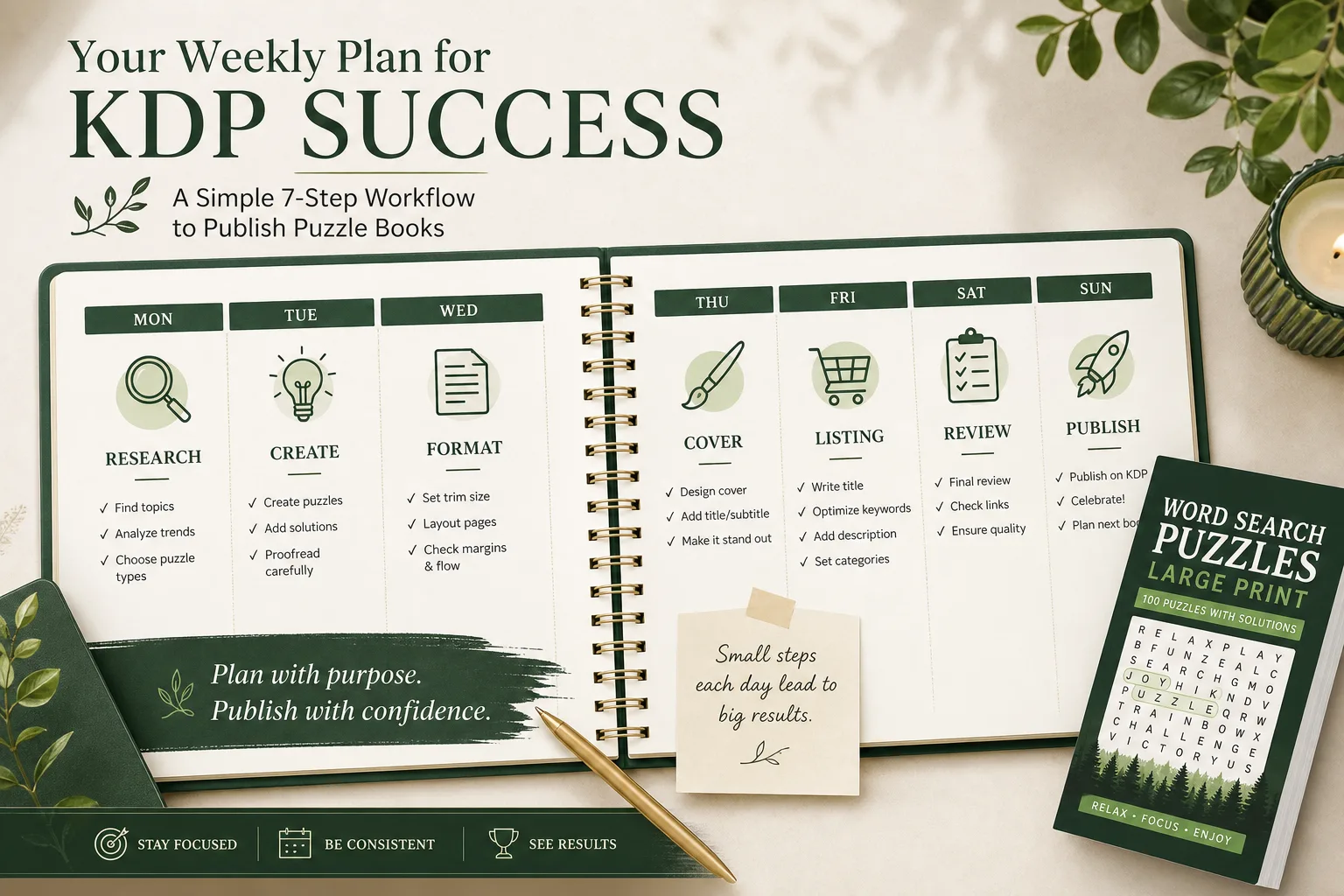
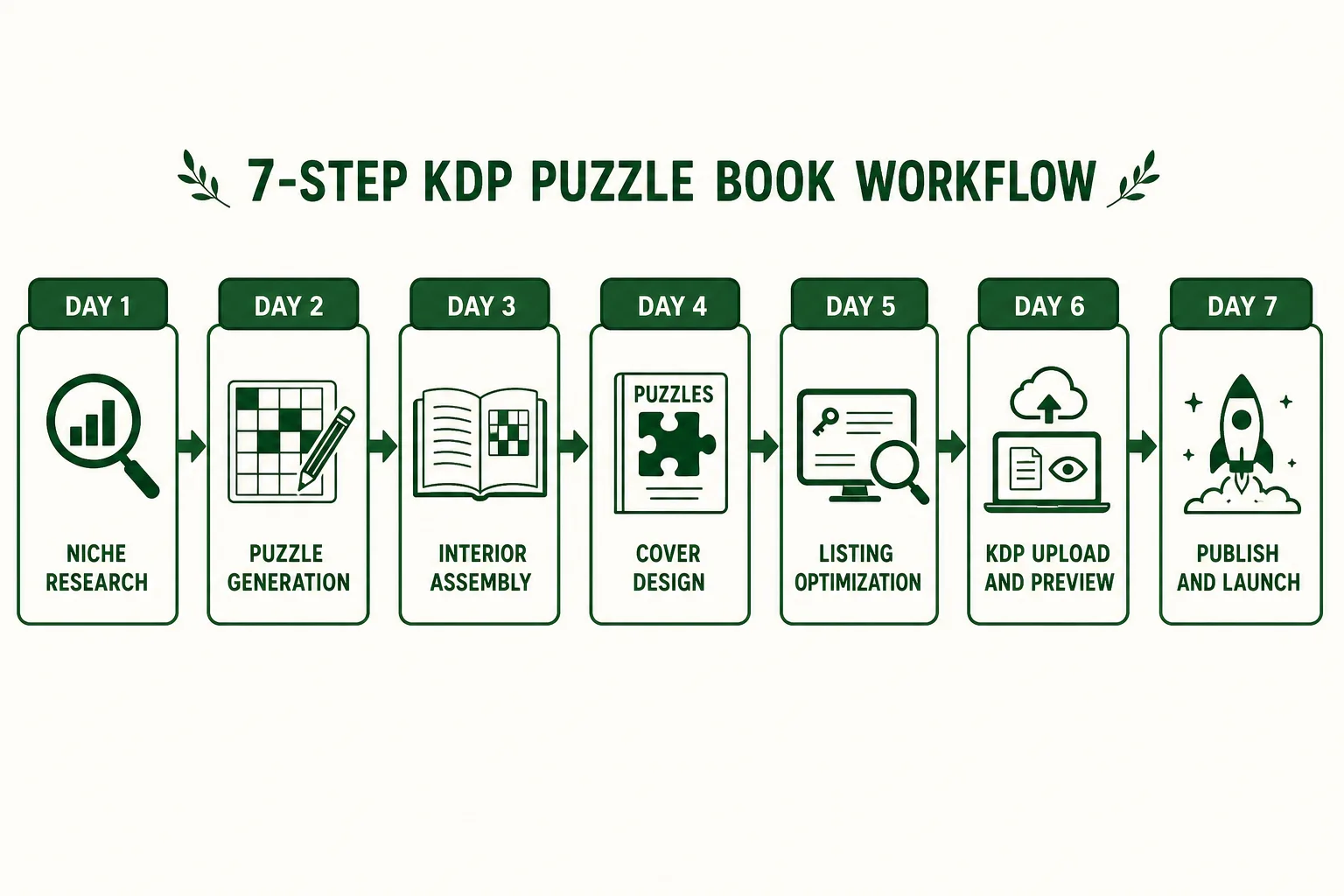
KDP puzzle book workflow from niche to listing is a 7-day sequence when you reuse the same tools each title. Start with niche briefs in RodBooks, then follow the companion guides linked in each day below.
Publishing a puzzle book on Amazon KDP is a 7-step process. Not a 7-month process, not a 7-week process, if you have the right tools and a clear sequence, the entire journey from choosing your niche to seeing your book live on Amazon can happen in one week.
This is not a shortcut or a "rush job" article. This is a systems article. The reason most KDP publishers take weeks or months between publications is not that the work is slow; it is that they make decisions in the wrong order, wait for information they should have gathered earlier, or rebuild their production workflow from scratch each time.
This article is the canonical reference for the complete RodBooks KDP puzzle book workflow. Every section links to a dedicated guide for publishers who want to go deeper on any step. Read it end-to-end once to understand the sequence, then use it as your production checklist on every subsequent title.
See also: KDP royalty calculator guide, KDP cover size calculator, bleed vs no bleed for KDP, and KDP keyword best practices.
Day 1: Niche Research and Validation (Monday)
Goal: Identify one specific, validated sub-niche and write your title formula before producing a single puzzle.
Most publishers start with the puzzle. The right sequence starts with the buyer: who are they, what are they searching for, and what is currently missing from the first page of Amazon results?
The 90-Minute Research Sequence
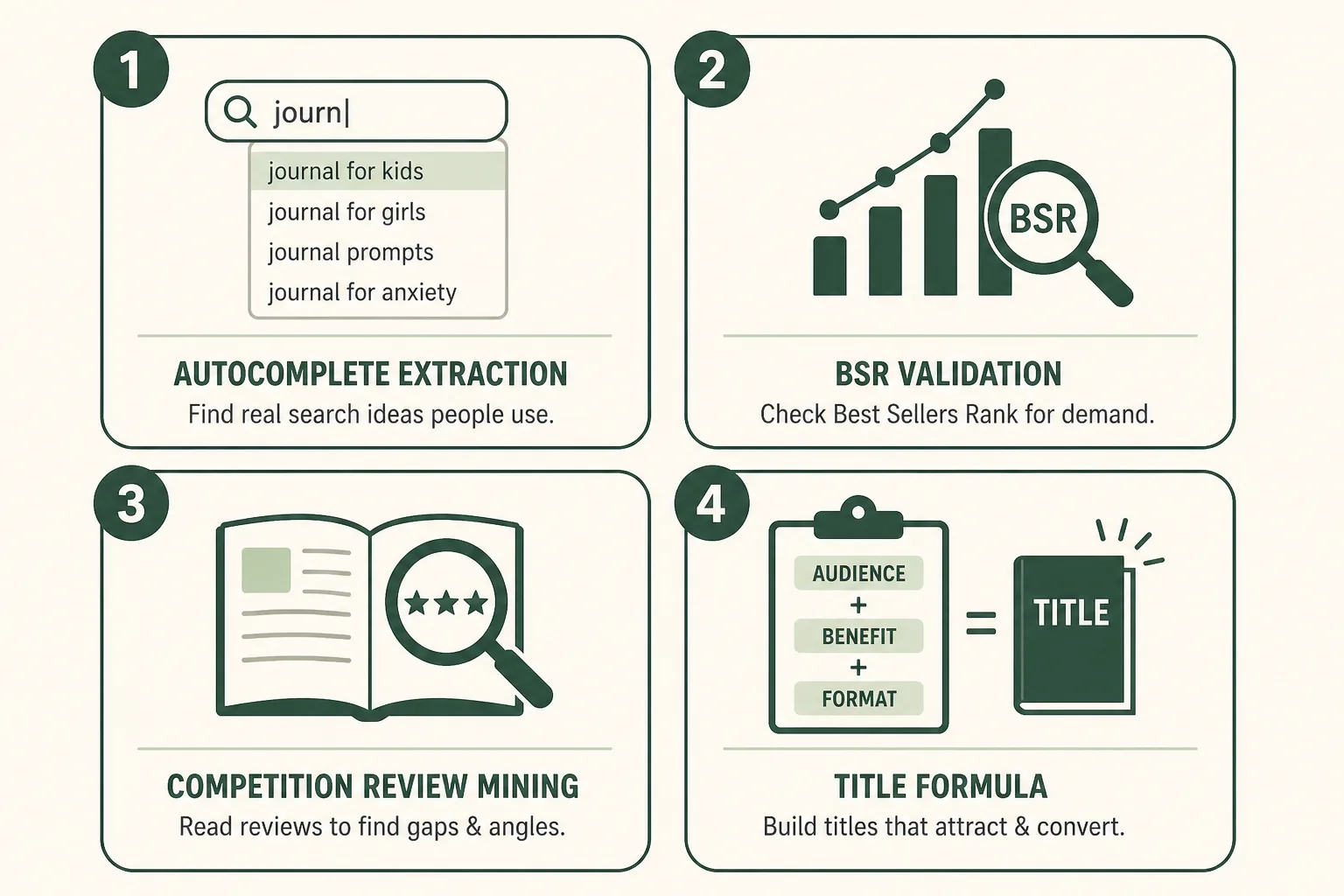
Step 1 (20 min): Amazon autocomplete extraction Open Amazon Books in an incognito window. Choose a puzzle type seed keyword (e.g., "word search book", "sudoku book", "crossword book"). Run the alphabet drill, type your seed followed by each letter A through Z and record every autocomplete suggestion you see.
→ Full guide: How to Use Amazon Search Suggestions for Low-Content Niches
Step 2 (30 min): BSR validation For each high-value suggestion, search Amazon Books and record the BSR, review count, and publish date for the top 3 results. Look for: BSR under 100,000 on #1 result, average review count under 150 across top 10.
→ Full guide: BSR Explained for Puzzle Book Publishers
Step 3 (20 min): Competition gap analysis Read the 1-3 star reviews for the top 3 titles. Identify the recurring complaint that a better product could solve.
→ Full guide: Competition Gaps: When a Niche Is Crowded but Still Worth It
Step 4 (20 min): Write your title, subtitle, and positioning statement Confirm your title formula before producing anything. Example output:
- Title: Easy Large Print Word Search for Seniors, Vol. 1
- Subtitle: 60 Bird-Themed Puzzles with Big Letters and Solutions
- Positioning: A themed, genuinely large-print word search targeting birdwatching seniors, where the first-page competitors are all generic with small print
→ Full guide: KDP Title & Subtitle Formulas for Puzzle Books
Day 1 Output: Confirmed niche, validated title, clear positioning statement.
Day 2: Puzzle Generation (Tuesday)
Goal: Generate all puzzles for the book with quality validation.
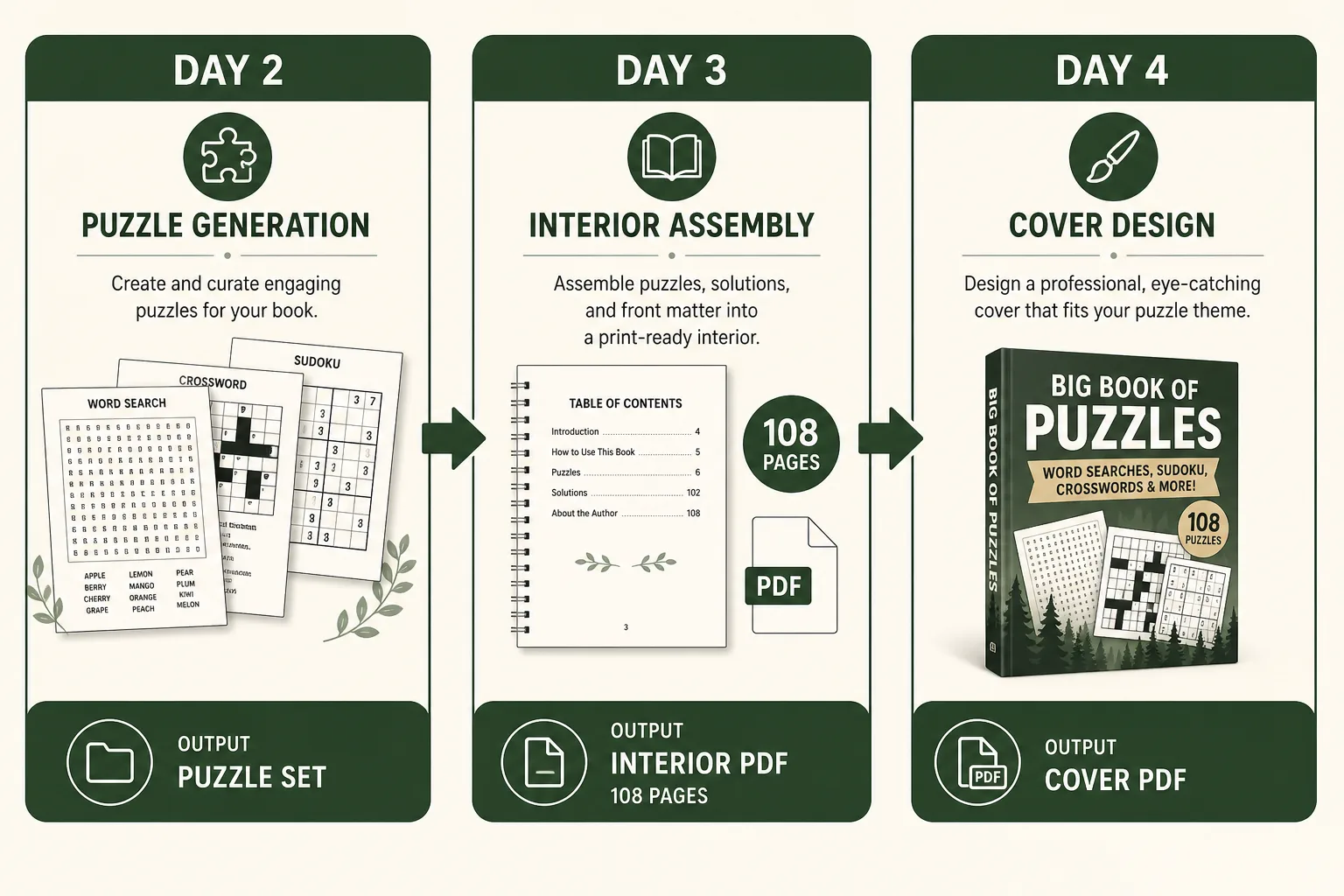
With your niche and title defined, you know your puzzle type, difficulty level, trim size, and puzzle count. Set these parameters in your generator and produce the full puzzle run.
Configuring Your Generator
Open RodBooks and configure:
| Setting | Your Decision |
|---|---|
| Puzzle type | Crossword / Sudoku / Word Search / Maze |
| Style | American/British/Freeform (crossword) or difficulty level |
| Difficulty | Easy / Medium / Hard / Expert |
| Grid size | Standard (15x15, 9x9) or large-print variant |
| Word list | Your themed word list (word search / freeform crossword) |
Generate all puzzles in one session. Do not generate 20 puzzles today and 20 tomorrow, generate the complete set so the difficulty calibration is consistent across the full book.
Quality check during generation:
- Spot-check 5 random puzzles manually (attempt to solve 10% of each)
- Verify solutions match their puzzles for a random sample of 5-10
- Confirm difficulty feels consistent, the same "Easy" throughout
→ Full guides:
- How to Create Crossword Puzzle Books for KDP
- How to Create Sudoku Books for Amazon KDP
- How Many Puzzles Should a KDP Puzzle Book Have?
- Word Lists for Puzzle Books: Themes That Sell
Day 2 Output: Complete validated puzzle set, ready for assembly.
Day 3: Interior Assembly and PDF Export (Wednesday)
Goal: Assemble the complete interior PDF and verify it in live preview.
Build the Interior Structure
In RodBooks, Step 2 (Book settings), configure:
| Element | Setting |
|---|---|
| Trim size | 6×9 or 8.5×11 (from your niche research Day 1) |
| Puzzle count | Your target count |
| Front matter | Title page + copyright + optional introduction |
| Table of contents | Include if book has 50+ puzzles |
| Solutions per page | 4-6 for sudoku, 1-2 for crossword, 4 for large-print editions |
| Page numbering | Enabled |
Preview Every Page in the Live Viewer
Before exporting, use RodBooks' Step 3 live preview to check:
- Grid size is correct and comfortable at your trim size
- Clue columns are not overflowing the page
- Margins are within KDP's minimum specs
- Solution pages are readable at compact size
- Page numbers are consistent
- Title page and copyright page look clean
Make any adjustments in the settings panel, then re-preview. Do not export until the preview is clean.
Export and Record Your Page Count
Export the final interior PDF. Record the exact page count; you need it for the cover spine width calculation.
→ Full guides:
- Best KDP Trim Sizes for Puzzle & Activity Books
- Solutions Pages & Answer Keys: KDP Buyer Expectations
Day 3 Output: Print-ready interior PDF. Page count recorded. Ready for cover design.
Day 4: Cover Design (Thursday)
Goal: Build a complete, thumbnail-functional full-wrap cover PDF.
Get Your Cover Dimensions
- Open KDP's Cover Calculator (in the Paperback setup flow)
- Enter your interior page count and paper type (white or cream)
- Note the exact spine width and total cover dimensions
- Export the cover template PDF from KDP's Cover Calculator
→ Full guide: Spine Width & Full-Wrap Covers Explained for KDP
Design the Cover
Open your cover design tool (RodBooks Cover Designer, Canva, or Adobe Express). Set the canvas to your exact total dimensions. Add guides for fold lines and safe zones.
The four thumbnail-critical elements (in priority order):
- Bold, heavy title typography (60-70% of cover width)
- Difficulty/audience label in a contrasting accent color
- Puzzle-type visual (grid pattern, maze, or grid fragment)
- Volume number
Run the thumbnail test: Before finalizing, view the cover at 90px wide. All four critical elements must be readable.
→ Full guide: KDP Cover Design for Puzzle Books
Export the Cover
Flatten all layers, embed fonts, export as PDF in RGB color mode at 300 DPI.
Day 4 Output: Full-wrap cover PDF ready for upload.
Day 5: Listing Optimization (Friday)
Goal: Write all listing copy (title, description, backend keywords, categories) before uploading to KDP.
Write your listing content in a document BEFORE logging into KDP. This prevents rushed copy decisions in the KDP setup flow.
Title and Subtitle (30 minutes)
Apply the title formula from Day 1: [Difficulty] [Puzzle Type] [for Audience], Vol. [N]: [Count] [Feature] with Solutions
Verify: Is your primary keyword phrase in the first 10 words of the title? Does the subtitle add the count, feature, or audience variant that didn't fit in the title?
→ Full guide: KDP Title & Subtitle Formulas for Puzzle Books
Book Description (45 minutes)
Apply the 5-part formula:
- Hook (first 150 characters, above mobile fold)
- Proof bullets (3-5 specific feature bullets)
- Credibility statement (how puzzles were created and quality validated)
- Audience fit (who this is for, primary use case)
- CTA (directional, "Scroll up and add to cart")
Format with HTML: <b> for bold hook, <ul><li> for bullets, <p> for paragraphs.
→ Full guide: KDP Book Description Formula That Converts
Backend Keywords (20 minutes)
Fill all 7 slots with the framework:
- Audience variant not in title
- Theme variant not in title
- Gift/occasion phrase
- Format/accessibility variant
- Use-case phrase
- Series phrase
- Long-tail keyword
→ Full guide: How to Write Backend Keywords for Puzzle Books
Categories
Select 2 categories in KDP setup. Plan Author Central additional category request.
→ Full guide: How to Choose Amazon Categories for Low-Content Books
Trademark Check
Before finalizing the title, run a quick trademark check on any non-generic terms.
→ Full guide: Trademark Risks in Puzzle Book Titles
Day 5 Output: Complete listing document ready to paste into KDP.
Day 6: KDP Upload and Review (Saturday)
Goal: Upload, preview, and configure everything in KDP. Book is ready to publish, publishing deferred to Day 7 after a final review.
Create a New Paperback Title in KDP
- Log into kdp.amazon.com
- Click "Create" → "Paperback"
- Book Details: paste your title, subtitle, series name, volume number, author name, description, categories, keywords
- Pricing: set your list price (verify royalty using KDP's calculator at your page count)
- Territory: Worldwide distribution
Upload Interior PDF
Upload your Day 3 interior PDF. Allow 5-10 minutes for KDP to process. Fix any errors flagged:
- Font embedding errors: flatten and re-export your source file with fonts embedded
- Image resolution warnings: ensure all interior images are 300+ DPI
- Margin warnings: check that no content is in the KDP-minimum-margin zone
Upload Cover PDF
Upload your Day 4 cover PDF. KDP processes and renders a 3D cover preview.
Cover Previewer check:
- Front cover: title and critical elements visible
- Spine: text within safe zone, not shifted
- Back cover: barcode area clear
- No bleed errors
KDP Interior Previewer (30 minutes)
Open the KDP book previewer (both print and digital version if applicable). Systematically check:
- First 3 pages: title page, copyright, optional intro, all clean
- Random 5 puzzle pages: grids sharp, clues not cut off, margins correct
- Last 3 puzzle pages: page numbers correct
- Solutions section: compact grids readable, puzzle numbers match
- Last page: no orphaned content
If you find an error: fix the source file, re-export the PDF, and re-upload. Allow 5-10 minutes for reprocessing.
Day 6 Output: Title configured, interior uploaded and previewed, cover uploaded and previewed. Ready to publish.
Day 7: Publish and Launch (Sunday)
Goal: Publish the book. Set up A+ Content. Start ad campaign.
Publish
In KDP, click "Publish Your Paperback Book." Processing takes 24-72 hours before the book is live on Amazon. You will receive an email confirmation.
Set Up A+ Content (Day 7 or within 48 hours of publishing)
Once your book's ASIN is assigned (within minutes of hitting Publish), navigate to the A+ Content Manager in your KDP dashboard. Build your 4-module A+ stack:
- Header banner (series/brand image)
- Interior quality image + text
- Three-image interior walkthrough
- Series comparison chart (even if only Vol. 1 exists, list it and leave placeholders for Vol. 2-3)
→ Full guide: Amazon A+ Content for Books: Module Sizes & Layout Guide
Start Your Ad Campaign
Within 48 hours of the book going live, launch your three campaigns:
- Automatic targeting: $5/day
- Manual Exact match (5-10 seed keywords): $5/day
- ASIN targeting (5-8 competitor ASINs): $3/day
→ Full guide: Amazon Ads for Low-Content & Puzzle Books: The Beginner Plan
Request Additional Categories via Author Central
Log into authorcentral.amazon.com. Contact support to request 3-5 additional sub-categories for your new title.
→ Full guide: How to Choose Amazon Categories for Low-Content Books
Begin Vol. 2 Production
On Day 7, the same day you publish Vol. 1, begin niche research or puzzle generation for Vol. 2. The 45-60 day window for Vol. 2 starts now.
→ Full guide: How to Launch a Puzzle Book Series on Amazon KDP
Day 7 Output: Book live (or in processing). A+ Content submitted. Ads running. Vol. 2 started.
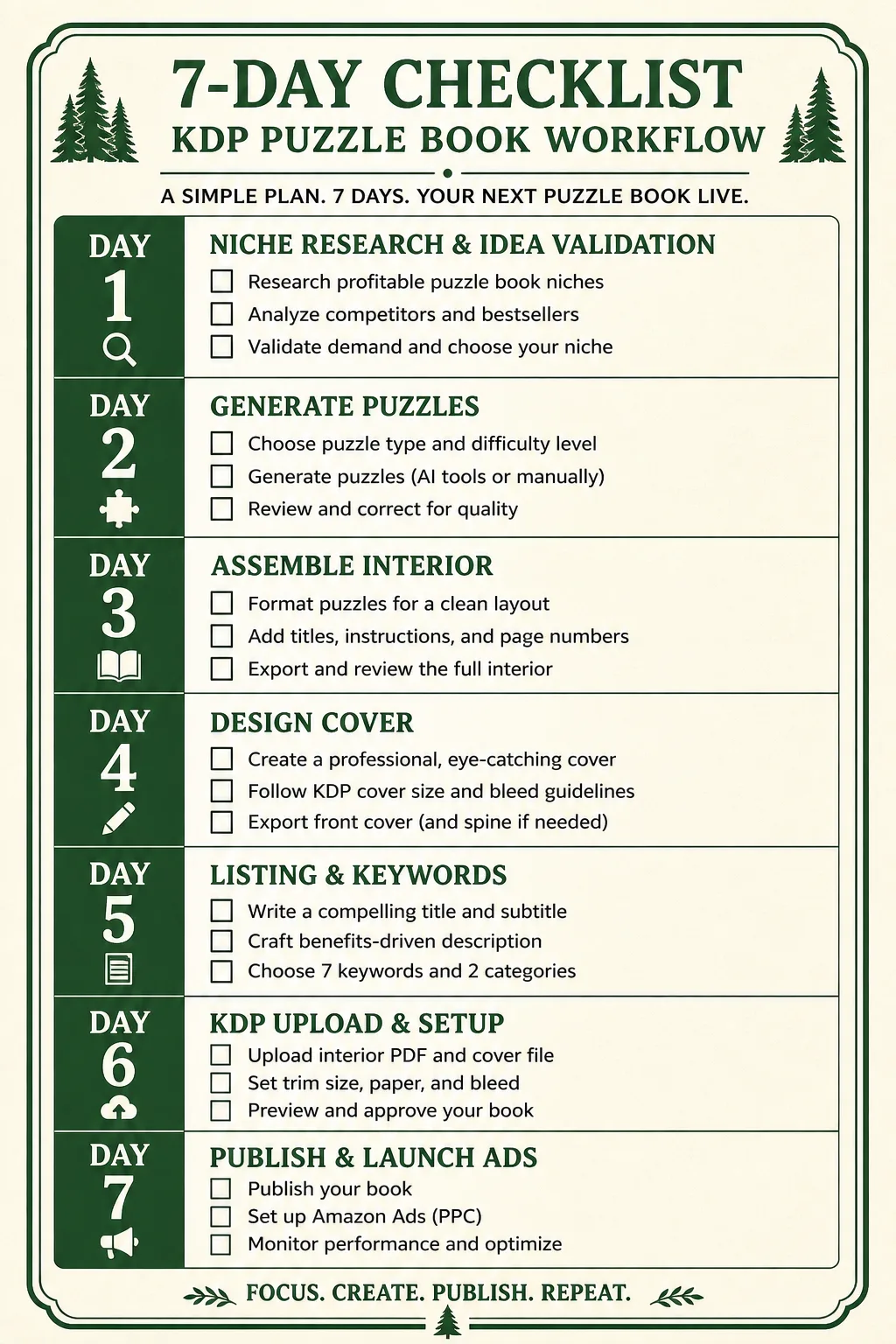
The Complete Workflow at a Glance
| Day | Phase | Key Tool | Output |
|---|---|---|---|
| Monday | Niche Research | RodBooks Niche Finder + Amazon | Title formula + positioning |
| Tuesday | Puzzle Generation | RodBooks Generator | Validated puzzle set |
| Wednesday | Interior Assembly | RodBooks Book Builder | Interior PDF + page count |
| Thursday | Cover Design | RodBooks Cover Designer | Full-wrap cover PDF |
| Friday | Listing Copy | RodBooks Description/Keywords tools | Complete listing document |
| Saturday | KDP Upload | KDP Dashboard | Uploaded, previewed, ready |
| Sunday | Publish & Launch | KDP + Amazon Ads | Live book + running ads |
What Slows Publishers Down (and How to Avoid It)
Decision paralysis on niche selection. The research framework above gives you an objective decision. If your target niche passes the BSR test (top result under 100,000) and shows a gap, publish. Don't research forever.
Changing the title after the cover is built. Title → Cover → Upload is the correct sequence. Changing the title after cover design requires a rebuild. Lock the title before touching the cover.
Uploading without previewing. The KDP Previewer catches problems before printing. An unreviewed upload risks a published book with an error that requires unpublishing, fixing, and re-uploading, adding days to the timeline.
Starting Vol. 2 only after Vol. 1 is published. By the time Vol. 1 is live, you should already be 1-2 weeks into Vol. 2 production. The 45-60 day series window is unforgiving.
Not setting up A+ Content. Publishers who publish and forget to build A+ Content are leaving conversion optimization on the table indefinitely. Block 2 hours on Day 7 for A+ Content, it compounds on every sale the book ever makes.
The Canonical Resource Library
Every step in this workflow has a dedicated companion article. Use these as your deep-dive references:
Niche Research:
- How to Use Amazon Search Suggestions for Low-Content Niches
- BSR Explained for Puzzle Book Publishers
- Competition Gaps: When a Crowded Niche Is Still Worth It
- Trademark Risks in Puzzle Book Titles
Puzzle Production:
- How to Create Crossword Puzzle Books for KDP
- How to Create Sudoku Books for Amazon KDP
- How to Create Maze Activity Books for Amazon KDP
- How Many Puzzles Should a KDP Puzzle Book Have?
- Word Lists for Puzzle Books: Themes That Sell
Interior Formatting:
- Best KDP Trim Sizes for Puzzle & Activity Books
- Solutions Pages & Answer Keys: KDP Buyer Expectations
- Large Print Word Search Books for Seniors
Cover Design:
Listing Optimization:
- KDP Title & Subtitle Formulas for Puzzle Books
- KDP Book Description Formula That Converts
- How to Write Backend Keywords for Puzzle Books
- How to Choose Amazon Categories for Low-Content Books
- Amazon A+ Content for Books: Module Sizes & Layout Guide
Launch and Growth:
- How to Launch a Puzzle Book Series on Amazon KDP
- Seasonal Puzzle Book Calendar: What to Publish When
- Amazon Ads for Low-Content & Puzzle Books: The Beginner Plan
- TikTok Marketing Ideas for KDP Puzzle Books
Frequently Asked Questions
Can I really publish a puzzle book in one week?
Yes, using RodBooks. The constraint is decision time, not production time. The puzzle generation, interior assembly, and PDF export steps that used to take weeks with manual workflows now take hours. The workflow above is organized so that every decision builds on the previous one, no backtracking, no rebuilding.
What if I skip the niche research and just publish a generic title?
You can, but you will likely struggle with discoverability. A generic "Sudoku Book for Adults" competes against thousands of established titles with existing review counts. The niche research step takes 90 minutes and turns a generic title into a positioned one, the ROI on that time investment is high.
Is one week realistic for my first book?
For your first book, allow 2 weeks. The first time through any workflow takes longer because each tool and interface is unfamiliar. From the second book forward, the same workflow runs in 5-7 days. By your fifth book, you will likely complete the production cycle in 3-4 days.
Do I need all 7 days or can I compress further?
You can compress Days 2-4 into 2 days once your generator and cover tool are configured. The listing day (Day 5) and upload day (Day 6) can be combined for experienced publishers. The realistic floor is 4 days for an experienced publisher using RodBooks.
The Complete 7-Day Checklist
Day 1. Research
- Alphabet drill on 3 seed keywords in Amazon Books (incognito)
- BSR check on top 3 results for best 5 suggestions
- Negative reviews mined for top 3 competitors
- Title formula confirmed
- Positioning statement written
Day 2. Generate
- Generator configured (type, style, difficulty, grid, word list)
- Complete puzzle set generated
- 10% sample manually quality-checked
- Solutions verified for random 5 puzzles
Day 3. Assemble
- Book settings configured (trim, puzzle count, front matter, solutions)
- Live preview reviewed, all pages clean
- Interior PDF exported
- Page count recorded
Day 4. Cover
- Cover dimensions from KDP Cover Calculator
- Cover designed at correct dimensions with safe zone guides
- Thumbnail test passed (readable at 90px wide)
- Cover PDF exported (RGB, 300 DPI, flattened)
Day 5. Listing
- Title and subtitle finalized (formula applied)
- Description written (5-part formula, HTML formatted)
- 7 backend keyword slots filled
- 2 categories selected
- Trademark check completed
Day 6. Upload
- KDP title created, all metadata entered
- Interior PDF uploaded, no errors
- Cover PDF uploaded, no errors
- KDP Previewer reviewed systematically
- Price set, royalty verified
Day 7. Launch
- Book published (or submit for review)
- A+ Content built and submitted
- Amazon Ads 3-campaign structure launched
- Author Central category request sent
- Vol. 2 production started
Start your first book today: Open RodBooks →